
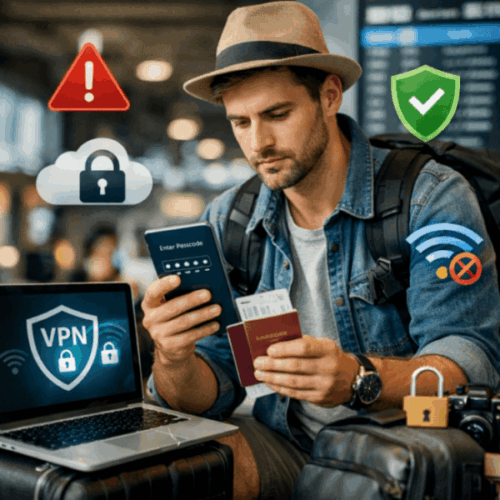
Essential Cyber Security Tips for Travelers Planning Their Next Trip

Packing your bags, checking your passport, and mapping out your itinerary are the obvious steps before any trip. But there is one part of travel preparation that too many people skip: protecting their digital life. In a world where your phone holds your bank details, your work email, your photos, and your travel documents, cybersecurity tips for travelers matter just as much as physical safety planning once you are away from home.
Public Wi-Fi networks, unfamiliar charging stations, and unsecured devices can all become entry points for hackers looking to exploit unsuspecting travelers. The good news is that staying safe online while traveling does not require you to be a tech expert. With a few smart habits and a little planning, you can enjoy your trip without worrying about identity theft, data breaches, or drained bank accounts.
Whether you are backpacking through Southeast Asia, relaxing at a beach resort, or joining organized New Zealand tours across the South Island, the same digital risks apply everywhere. This guide breaks down the most important cybersecurity tips every traveler should know before hitting the road.
1. Cyber Security Tips for Travelers: Secure Your Devices Before You Leave Home
The best time to think about cyber security is not when you are already in the airport lounge. It starts well before departure, right in your own home.
Update everything. Before you travel, make sure your phone, laptop, and tablet are running the latest operating system and app updates. These updates often contain critical security patches that close loopholes hackers could otherwise exploit. Traveling with outdated software is like leaving your front door unlocked while you go on vacation.
Enable strong authentication. Turn on two-factor authentication (2FA) for your email, banking apps, and social media accounts. This adds an extra layer of protection. Even if someone steals your password, they still cannot access your account without a second verification step, usually a code sent to your phone or generated by an authenticator app.
Back up your data. Before you leave, back up your photos, documents, and important files to a cloud service or an external hard drive. If your device is lost, stolen, or compromised during your trip, you will not lose everything permanently.
Use device encryption. Most modern smartphones and laptops offer built-in encryption features. Turning this on protects your data even if the device falls into the wrong hands, because the data remains scrambled and unreadable without the correct password or biometric access.
Set up remote tracking and wiping. Features like Find My iPhone or Google’s Find My Device let you locate a lost device and lock it remotely. If it’s stolen, you can erase its data. This can be a lifesaver if your phone goes missing in a crowded market or busy train station.
Taking these steps before departure means you start your trip with a solid digital foundation, rather than scrambling to fix a problem once you are already thousands of miles from home.
2. Cyber Security Tips for Travelers: Be Cautious with Public Wi-Fi and Networks
Free Wi-Fi at airports, cafes, and hotels feels like a small blessing when you are trying to save on data roaming charges. Unfortunately, these networks are also a favorite hunting ground for cybercriminals.
Avoid sensitive transactions on public networks. Never log into your online banking, enter credit card details, or access confidential work files on open, unsecured Wi-Fi. Hackers can set up fake hot-spots that look legitimate but actually intercept your data as it travels between your device and the internet.
Use a VPN. A virtual private network encrypts your internet connection. This makes it far harder for anyone snooping on the same network to see what you are doing online. Installing a reputable VPN app before your trip is one of the simplest, most effective ways to protect your data on the go.
Turn off automatic Wi-Fi connections. Many devices automatically connect to available networks by default. Disable this feature so your phone does not unknowingly connect to a malicious hotspot without your knowledge.
Verify the network name. Cybercriminals sometimes create fake networks with names similar to legitimate ones, such as “Airport_Free_WiFi” instead of the official “Airport_WiFi.” Always confirm the correct network name with staff before connecting.
Disable Bluetooth when not in use. Attackers nearby can also exploit Bluetooth to gain access to your device. Switching it off when you are not actively using it reduces one more avenue of attack.
Being mindful of how and where you connect to the internet can prevent the vast majority of common travel-related cyber attacks.
3. Cyber Security Tips for Travelers: Protecting Your Personal and Financial Information
Travel often means juggling multiple types of sensitive information: passports, boarding passes, hotel bookings, and payment details. Keeping this information secure requires a mix of digital and physical awareness.
Notify your bank before you travel. Let your bank know your travel dates and destinations so they can flag your account appropriately. This helps prevent your card from being frozen due to suspicious activity flags. It also helps the bank spot genuinely fraudulent transactions faster.
Use credit cards over debit cards. Credit cards generally offer better fraud protection than debit cards. If your card details are compromised, credit card companies often have more robust dispute processes and liability protections.
Be wary of ATMs and card skimmers. Stick to ATMs located inside banks or well-monitored areas, rather than standalone machines on the street. Skimming devices attached to ATMs can steal your card information the moment you insert your card. If anything about the machine looks unusual or tampered with, avoid using it.
Limit what you carry digitally. Avoid storing scanned copies of your passport, ID, or financial documents in easily accessible phone folders. If you need digital copies for backup, store them in an encrypted app or a secure, password-protected cloud folder.
Watch out for phishing scams related to travel. Scammers often send fake emails or texts claiming to be from airlines, hotels, or booking platforms. These messages usually ask you to confirm details or click a link. Always verify communications directly through the official website or app rather than clicking links in unsolicited messages.
Be careful with public charging stations. In a scam known as “juice jacking,” attackers can load malware onto USB charging ports at airports and other public places. Your own charger and a standard wall outlet, or a portable power bank, is a safer alternative to plugging into unknown USB ports.
By treating your financial and personal data with the same caution you would apply to your physical passport, you significantly reduce your risk of becoming a target.
4. Cyber Security Tips for Travelers: Stay Vigilant on Social Media and While Sharing Your Location
Sharing your travel adventures online is part of the fun, but oversharing can create real security risks, both digital and physical.
Avoid posting your location in real time. Announcing exactly where you are staying or which flight you are on gives criminals a roadmap of your movements. It can also alert burglars back home that your house is empty. Consider posting photos and updates after you have already left a location rather than while you are still there.
Review your privacy settings. Before your trip, check who can see your posts, stories, and check-ins. Tightening these settings ensures your travel updates are only visible to people you trust.
Be cautious with public tagging. When other travelers tag you in photos, or you tag specific hotels and landmarks, your exact location can reach a much broader audience than intended.
Think before connecting to strangers’ devices. Sharing files via Bluetooth or Airdrop with strangers you meet while traveling can expose your device to unwanted access. This holds true even when it comes from simple friendliness. Only accept file transfers or connections from people you trust.
Log out of shared or public computers. If you use a hotel business center computer or an internet cafe, always log out of every account fully. Clear the browser history and avoid saving passwords on shared devices.
Being mindful about what you share, and with whom, protects not just your online identity but your physical safety while you are away from familiar surroundings.
Conclusion
Traveling should be about enjoying new experiences, not worrying about hackers or scammers ruining your trip. A few proactive steps make a real difference: update your devices, use a VPN on public Wi-Fi, protect your financial information, and think before you share online. Together, these habits dramatically reduce your risk of falling victim to cybercrime while traveling.
Cybersecurity does not have to be complicated. It simply requires the same kind of preparation you already put into planning your itinerary, booking accommodations, and packing your bags. Treat your digital safety as an essential part of your travel checklist, right alongside your passport and travel insurance.
Stay Informed With Cyber News Live
Cyber threats are constantly evolving, and staying informed is critical to protecting your organization.
Follow Cyber News Live for the latest cybersecurity news, threat intelligence, expert analysis, and practical guidance to help strengthen your cyber defenses.