
Stay Safe Online While Using Public Airport Wifi on Your Global Trips

Picture this. You just landed after a long-haul flight. Your phone battery is at 12%. The only thing standing between you and a working boarding pass is the airport’s free wifi. You connect without a second thought. Everyone does it. Most travelers connect to public Wi-Fi networks in airports, hotels, and cafes dozens of times a year. Few ever ask what happens to their data once it leaves the device, which is exactly why airport wifi safety deserves more attention than it gets.
That single tap to “join network” feels harmless. But it opens a door. Public wifi networks are shared spaces. Like a crowded train station, you never really know who’s standing next to you, listening in. For frequent flyers, digital nomads, and remote workers, understanding airport wifi safety isn’t optional anymore. It’s a basic travel skill, right up there with packing a carry-on or navigating a layover.
This guide breaks down why airport Wi-Fi poses real risks, what can go wrong, and the practical steps to protect your personal information and peace of mind, no matter which country you’re flying through.
Why Airport Wifi Poses a Bigger Risk Than You Think
Airport wifi networks prioritize convenience over security. Most run as open networks. That means no password and no encryption protects the connection between your device and the router. This convenience is exactly what attracts cybercriminals, and it’s the core reason airport wifi safety matters more than most travelers realize.
Here are the most common threats travelers face on airport networks:
Unencrypted connections. On an open network, anyone with basic technical know-how and the right software can intercept data traveling between your device and the router. If you log into email or check your bank balance over an unsecured connection, someone else on the network can potentially read that information.
Fake or “evil twin” networks. This trick ranks among the sneakiest in a scammer’s playbook. A criminal sets up a hotspot with a name almost identical to the airport’s official network, something like “Airport_Free_WiFi” instead of “Airport-Free-Wifi.” Travelers connect without noticing the tiny difference. Suddenly, all their traffic routes through the attacker’s device.
Man-in-the-middle attacks. Once someone positions themselves between you and the network, they can quietly capture login credentials, credit card numbers, and personal messages. You never know something’s wrong.
Malware distribution. Some public networks have pushed malicious software onto connected devices, particularly on outdated operating systems that haven’t received the latest security updates.
Session hijacking. If you’re logged into a site without proper encryption, an attacker on the same network can sometimes steal your active session. They can take over your account without ever needing your password.
None of this means you should avoid airport wifi altogether. It simply means treating every public network as a space that calls for a little more care, a little more deliberation, and a lot more preparation.
Practical Steps for Airport Wifi Safety Before You Even Connect
The best defense against public wifi risks starts before you land, not after. A little preparation goes a long way toward keeping your data safe.
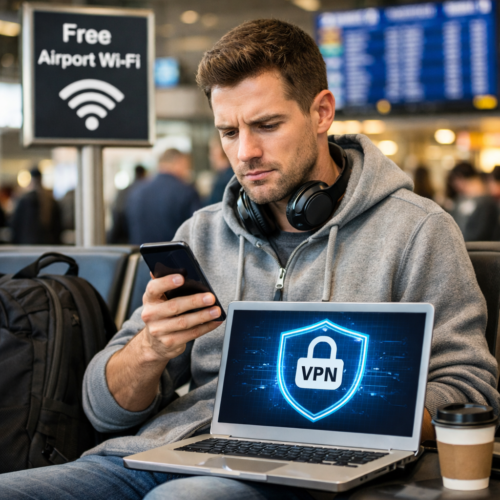
Use a reputable VPN. A virtual private network encrypts your internet traffic. It creates a secure tunnel between your device and the internet, even on an open network. This ranks as arguably the single most effective tool for safe travel browsing. Choose a well-reviewed, paid VPN service rather than a free one. Many free VPNs make money by collecting and selling user data, which defeats the purpose entirely. The US Cybersecurity and Infrastructure Security Agency (CISA) recommends VPN use as a baseline protection on any public network.
Turn off auto-connect features. Most smartphones and laptops default to automatically joining known or open wifi networks. Disable this setting so your device never connects without your explicit permission. This small change stops your phone from silently joining a malicious hotspot while it sits in your bag.
Verify the network name with airport staff. Before connecting, confirm the exact spelling and capitalization of the official network with an employee or on posted signage. Evil twin networks rely on travelers connecting on autopilot. This ten-second check can save you a lot of trouble.
Update your software before you travel. Operating system updates and security patches often fix vulnerabilities that hackers exploit on public networks. Update your phone, laptop, and apps a day or two before departure, not while sitting at the gate.
Enable two-factor authentication on important accounts. Even if a password gets compromised, two-factor authentication adds a second layer of protection. It usually sends a code to another device, making it much harder for anyone to break into your email, banking, or social media accounts.
Smart Habits That Support Airport Wifi Safety While You’re Connected
Preparation matters, but so does your behavior once you’re online. These habits reduce your exposure even further.
Stick to HTTPS websites. Look for the small padlock icon in your browser’s address bar before entering personal information. HTTPS encrypts the data exchanged between your browser and the website, adding real protection even on an open network.
Avoid logging into banking or financial accounts. Wait until you’re on a trusted network, or better yet, using mobile data, before doing anything involving money. Checking your flight status or browsing the news carries low risk. Transferring funds or entering credit card details does not.
Turn off file sharing and AirDrop. These features work great at home, but they can expose your device to strangers on the same public network. Switch them off before you connect, then switch them back on once you’re somewhere private.
Use a firewall and antivirus software. Most laptops come with built-in firewalls, so make sure yours stays switched on while traveling. Reliable antivirus software adds another checkpoint that can catch suspicious activity before it becomes a real problem.
Log out of accounts when you’re done. Closing a browser tab doesn’t always end your session. Manually logging out, especially from email and social media, reduces the window of opportunity for anyone trying to hijack an active connection.
Stay mindful of what you browse. It sounds simple, but the browsing you do at the gate matters too. Say you’re finally planning that long-awaited trip and searching for the best places to visit in New Zealand while waiting for a connecting flight. That casual browsing carries low risk, but it’s still worth doing over a VPN out of habit, since you never know which tab you’ll open next.
Better Alternatives to Relying on Public Wifi
Sometimes the smartest move isn’t securing the public network. It’s avoiding it altogether. Frequent travelers increasingly rely on alternatives that offer more control and better security, sidestepping airport wifi safety concerns entirely.
Personal mobile hotspots. Using your phone’s own data plan to create a hotspot for your laptop keeps you off shared networks entirely. It uses your cellular carrier’s encryption rather than an open airport connection, a significant security upgrade.
Travel eSIMs. eSIMs have become one of the most popular tools for international travelers in recent years. They let you activate a local or regional data plan instantly, often before you even land. You get a private, reliable connection the moment you step off the plane, with no need to hunt for wifi passwords or gamble on an open network.
Portable wifi devices. Compact pocket routers that use cellular data offer another solid option. They work particularly well if you’re traveling with multiple devices or in a group, since everyone can connect to your private hotspot instead of the airport’s shared network.
Airline lounges with paid or secured networks. If you have lounge access, these networks are sometimes better maintained and monitored than general terminal wifi. Even so, it’s still wise to use a VPN as an added precaution.
Each of these options costs a little more than free airport wifi. But the trade-off is peace of mind. When you’re managing work emails, banking apps, or sensitive documents on the road, that peace of mind is worth far more than the few dollars saved.
Travel Smart, Browse Safer
Public airport wifi isn’t going anywhere, and honestly, it shouldn’t have to be avoided altogether. The goal isn’t fear, it’s awareness. Once you understand how these networks work and how easily they can be spoofed or exploited, protecting yourself becomes second nature rather than an afterthought.
A few simple habits make all the difference: use a trustworthy VPN, verify network names before connecting, avoid sensitive transactions on open networks, and consider alternatives like eSIMs or mobile hotspots when security really matters. None of this requires technical expertise, just a bit of intention every time you land in a new terminal — the same intention that makes airport wifi safety second nature rather than an afterthought.
Stay Informed With Cyber News Live
Cyber threats are constantly evolving, and staying informed is critical to protecting your organization. Follow Cyber News Live for the latest cybersecurity news, threat intelligence, expert analysis, and practical guidance to help strengthen your cyber defenses.